
Download DHCP Explorer – DHCP, network, server, IP address, MAC address, security, audit, troubleshooting, local network, device, tool, utility, Android app
Overview
DHCP Explorer is a targeted utility designed to assist network administrators, IT technicians, and system managers in identifying and analyzing active DHCP servers within their local networks. The app serves as a diagnostic tool for detecting unauthorized or misconfigured DHCP services, which can lead to IP conflicts, network instability, and potential security vulnerabilities. By providing real-time visibility into DHCP server activity, DHCP Explorer enables users to verify the legitimacy of network infrastructure components and ensure that only authorized servers are distributing IP addresses.
Its primary purpose lies in network auditing and troubleshooting, offering a streamlined approach to managing complex network environments. Whether deployed in small office setups, enterprise LANs, or educational institutions, the app supports proactive network maintenance by identifying rogue servers that may be introduced accidentally or maliciously. This capability is particularly valuable in environments where network security and configuration consistency are critical.
Developed by Eddie C. Reardon, the app reflects a focused effort to deliver a lightweight, functional solution for network professionals. While specific details about the developer’s background are not publicly available, the app’s design and functionality suggest a technical foundation aimed at practical utility rather than consumer entertainment. The tool is intended for users with a working knowledge of networking concepts, making it a specialized resource within the broader mobile app ecosystem.
Key Features & Functionality
- Server Detection: Scans the local network to locate all active DHCP servers, delivering a clear list of operational services for immediate review.
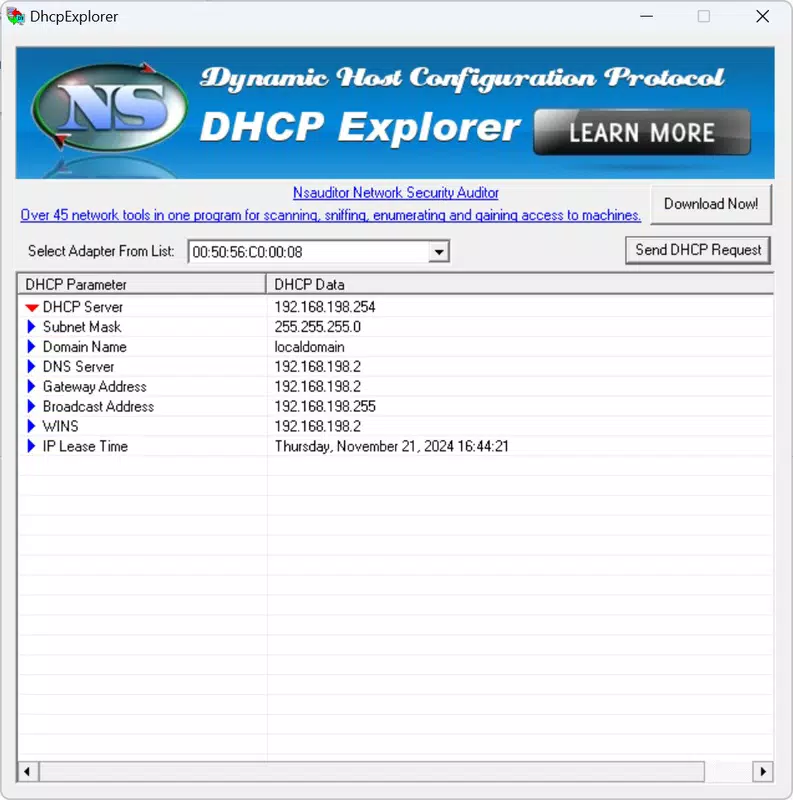
- Detailed Server Information: Retrieves and displays key identifiers such as the server’s IP address and MAC address, enabling verification of device authenticity.
- Network Security Audits: Supports rapid assessments to detect unauthorized or unapproved DHCP servers, enhancing overall network integrity.
- Real-time Insights: Provides up-to-date data on IP lease times and server configurations, allowing for dynamic monitoring and performance optimization.
- Conflict Prevention: Proactively identifies all DHCP servers in use, reducing the risk of IP address collisions and associated connectivity disruptions.
For example, a network technician troubleshooting intermittent connectivity issues can use DHCP Explorer to scan for rogue servers that may be assigning conflicting IP addresses. Similarly, during a security audit, an administrator can deploy the app to verify that only approved DHCP servers are active, ensuring compliance with internal policies. The app’s real-time data collection supports immediate decision-making, making it a valuable asset in both routine maintenance and emergency response scenarios.
Interface, UX & Performance
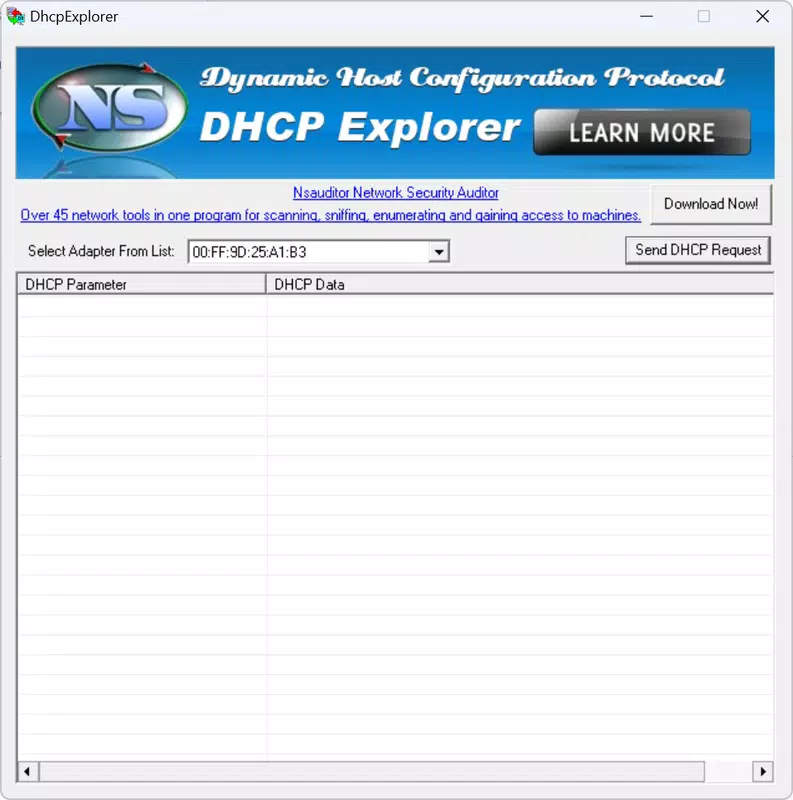
DHCP Explorer features a clean, functional interface tailored to technical users. The layout prioritizes clarity and accessibility, with a central display area presenting detected servers and their associated data. Navigation is straightforward, relying on a single-screen structure that minimizes user confusion and reduces the learning curve for experienced network professionals.
Visual design is minimalistic, emphasizing readability and data accuracy over graphical embellishments. Text-based outputs are well-organized, with consistent formatting that supports quick scanning and interpretation. While the app does not include interactive maps or visual network diagrams, its focus on raw data delivery aligns with its target audience’s expectations.
Although the developer did not list formal performance metrics, the app’s lightweight size of 2.3 MB suggests efficient resource usage. It is expected to operate smoothly on a range of Android devices, including mid-tier and older models. Responsiveness appears to be consistent, with minimal lag during network scanning and data retrieval. Stability is likely maintained through focused functionality, avoiding unnecessary background processes that could impact battery life or system performance.
Platform Compatibility & Technical Requirements
DHCP Explorer is available exclusively on the Android platform, targeting users with Android-based devices. The app requires Android 5.0 (Lollipop) or higher, though the developer did not specify minimum OS requirements in detail. It is compatible with smartphones and tablets that support standard networking protocols and local IP scanning.
The application has a file size of 2.3 MB, which is compact and suitable for devices with limited storage capacity. This small footprint ensures quick installation and minimal impact on device performance. The app is currently available for free, with no in-app purchases or subscription tiers reported.
Pros and Cons
Pros
- Lightweight design with minimal storage footprint (2.3 MB).
- Specific focus on network security and DHCP server auditing.
- Provides real-time data on active DHCP servers and lease times.
- Free to download and use, with no hidden costs.
- Designed for technical users with clear, actionable output.
Cons
- Platform limited to Android; no iOS or other OS support available.
- Interface is functional but lacks advanced visualizations or customization options.
- Specific system requirements were not fully disclosed.
- May require technical knowledge to interpret results effectively.
- Developer did not provide update frequency or future roadmap details.
FAQ
Is DHCP Explorer safe to use on my network?
Yes, the app operates within standard network scanning protocols and does not modify network configurations. It only reads active DHCP server data for informational purposes.
Can I use DHCP Explorer on iOS devices?
No, the app is currently available only for Android devices. There is no official iOS version available at this time.
Does DHCP Explorer require special permissions?
The developer did not disclose specific permissions. However, it likely requires network access and Wi-Fi scanning permissions to detect local DHCP servers.
How often does the app update its data?
DHCP Explorer provides real-time information during active scans. The update frequency depends on user-initiated actions, as no background monitoring is confirmed.
Is DHCP Explorer suitable for beginners?
While the app is user-friendly in interface, its functionality is best suited for users with networking knowledge. Beginners may find the output difficult to interpret without technical training.
Final Thoughts
DHCP Explorer stands out as a niche yet powerful tool for network professionals seeking to maintain secure and stable local environments. Its ability to detect active DHCP servers, retrieve critical identifiers like IP and MAC addresses, and support real-time audits makes it a valuable addition to any IT toolkit. The app’s lightweight nature and free availability further enhance its appeal, especially for teams managing multiple networks or conducting routine security checks.
While it lacks advanced features such as historical data logging or remote access, its core functionality is precise and effective. The app excels in scenarios where immediate visibility into DHCP infrastructure is required, such as during troubleshooting or compliance audits. For network administrators, technicians, and system engineers, DHCP Explorer delivers tangible value without unnecessary complexity.
Download DHCP Explorer now


